Mobile
SmartHome Mobile Application — Connected Home Control & Automation
A smart home mobile application that lets users control connected devices, monitor home security, manage climate settings, and automate everyday routines from their smartphones.
- Evidence
- Verified work
- Role
- full project
- Timeline
- Feb 2023
- Category
- Mobile
Overview
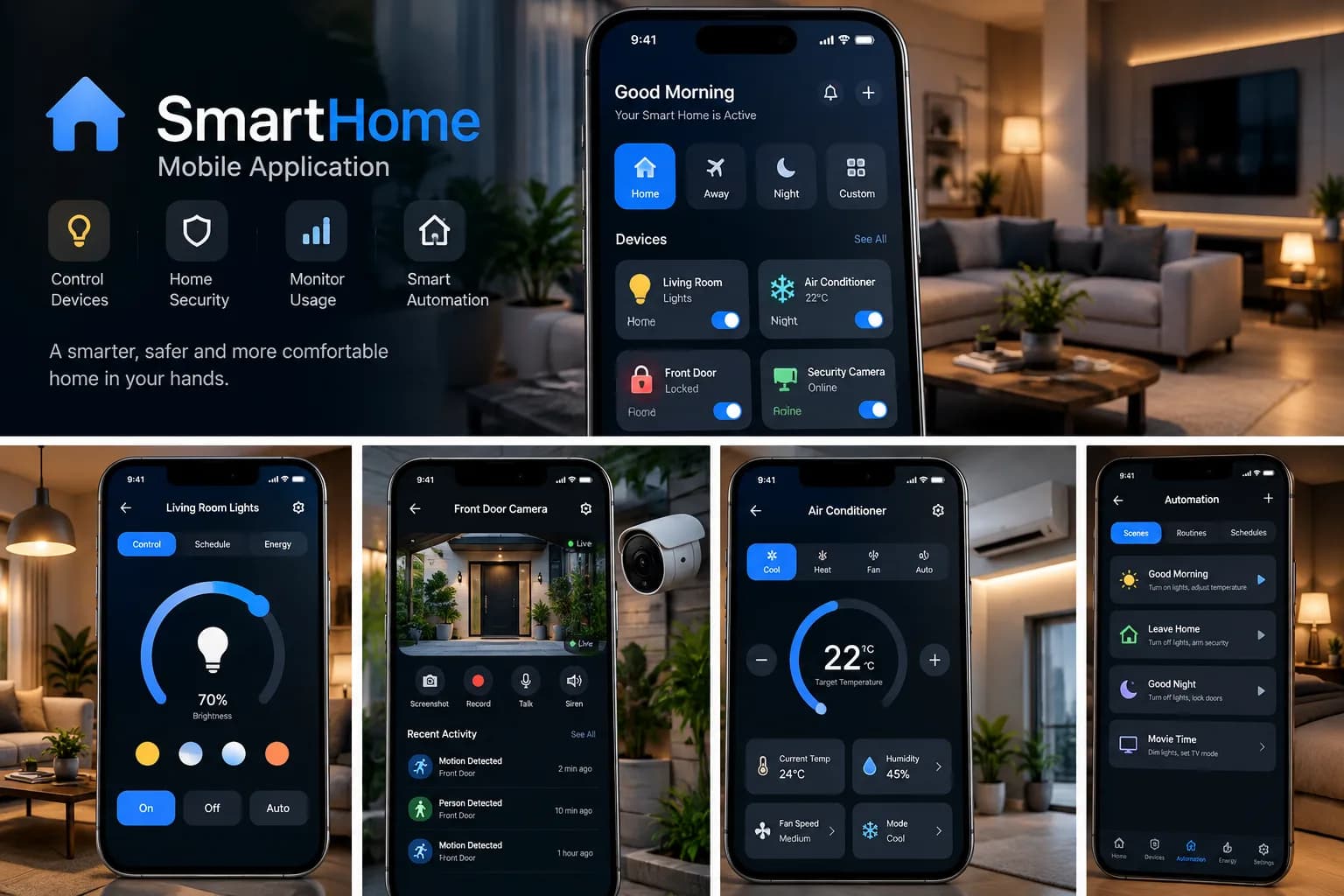
The SmartHome Mobile Application is a mobile-first smart home control platform designed to give users a centralized way to interact with connected devices throughout their homes.
The application brings device control, security monitoring, climate management, and home automation into a single mobile experience, making everyday smart-home interactions easier to access and manage.
Problem
As the number of connected devices in a home increases, managing them through separate applications can quickly become inconvenient.
Users may need different interfaces for lighting, climate control, security cameras, locks, and automated routines. This fragmentation makes simple tasks more complicated and makes it harder to understand the overall state of the home.
The application addresses this by providing a unified interface where users can:
- Monitor connected devices
- Control lights and appliances
- Manage temperature and climate
- Monitor security cameras
- Check locks and sensors
- Create automated scenes
- Switch between predefined home modes
The goal is to make a connected home feel like one coherent system rather than a collection of independent devices.
Constraints
The project was designed as a smart home mobile application concept, with the focus placed on the user experience and centralized device-management model rather than implementing every possible IoT integration.
Key constraints included:
- Supporting different categories of smart devices
- Keeping interactions simple on mobile screens
- Maintaining a consistent design language
- Avoiding unnecessarily complex controls
- Making important home states visible at a glance
- Designing automation workflows that remain understandable
- Providing a foundation that could support additional devices and integrations
The objective was to establish a scalable interaction model for a connected home rather than support every hardware ecosystem from the beginning.
Approach
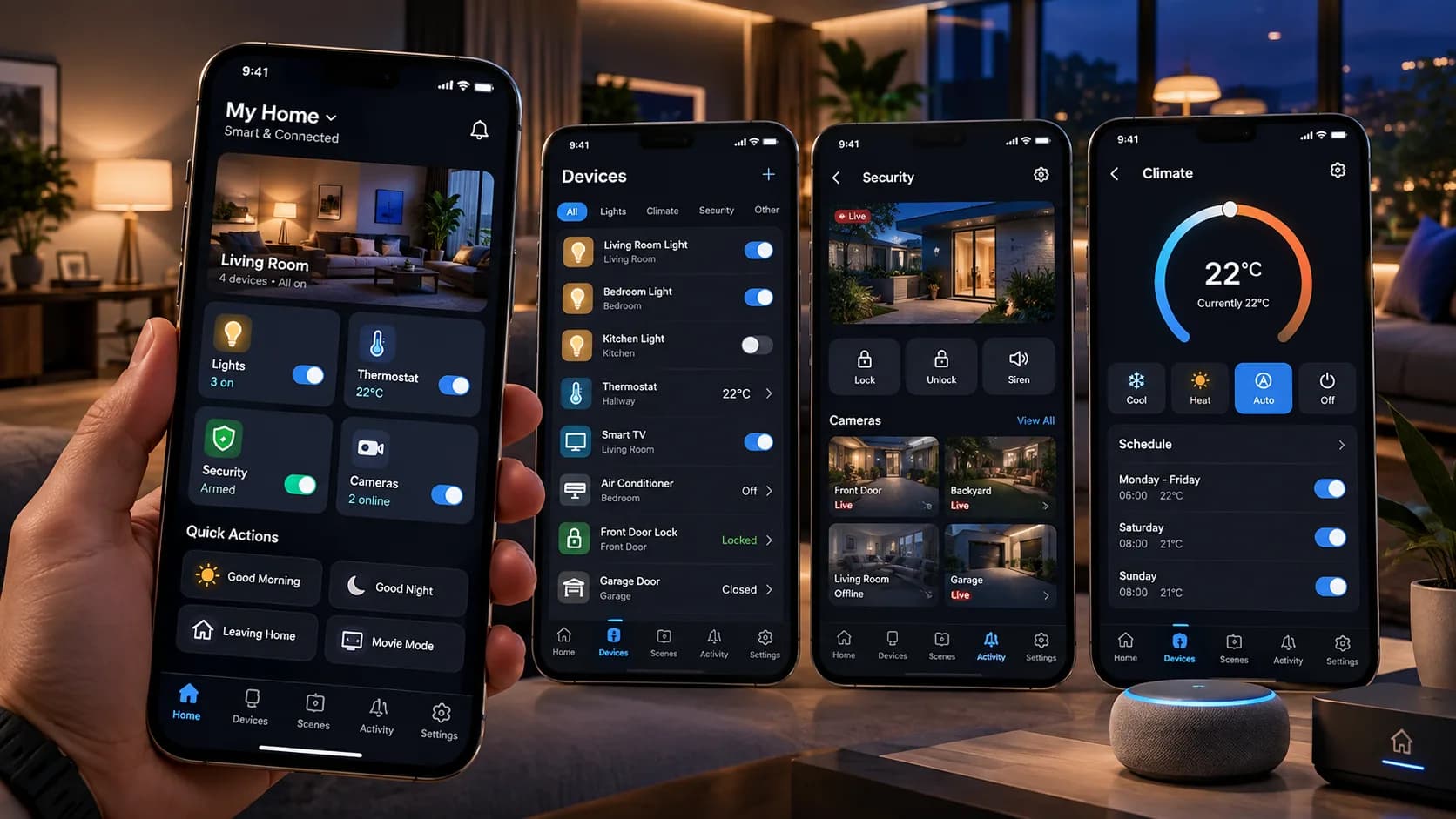
The application was designed around a centralized home dashboard that acts as the main control center.
From the dashboard, users can quickly see the current state of important devices and access the most common actions.
The experience is organized around several core areas:
Home → Devices → Security → Climate → Scenes → Settings
Quick actions and predefined scenes reduce the number of steps required for repetitive activities.
For example, instead of manually changing several devices when leaving the house, an Away Mode can combine multiple actions into one workflow.
The same concept can be applied to routines such as Good Morning, Good Night, and Movie Time.
Architecture
The application can be structured around a centralized smart-home architecture:
Mobile Client → Smart Home Platform → Device & Automation Layer
Home Dashboard
Acts as the central overview of the user's home, displaying important rooms, devices, statuses, and quick actions.
Device Management
Provides a unified interface for connected devices such as:
- Lights
- Thermostats
- Air conditioners
- Smart TVs
- Locks
- Sensors
- Cameras
- Other connected appliances
Security Layer
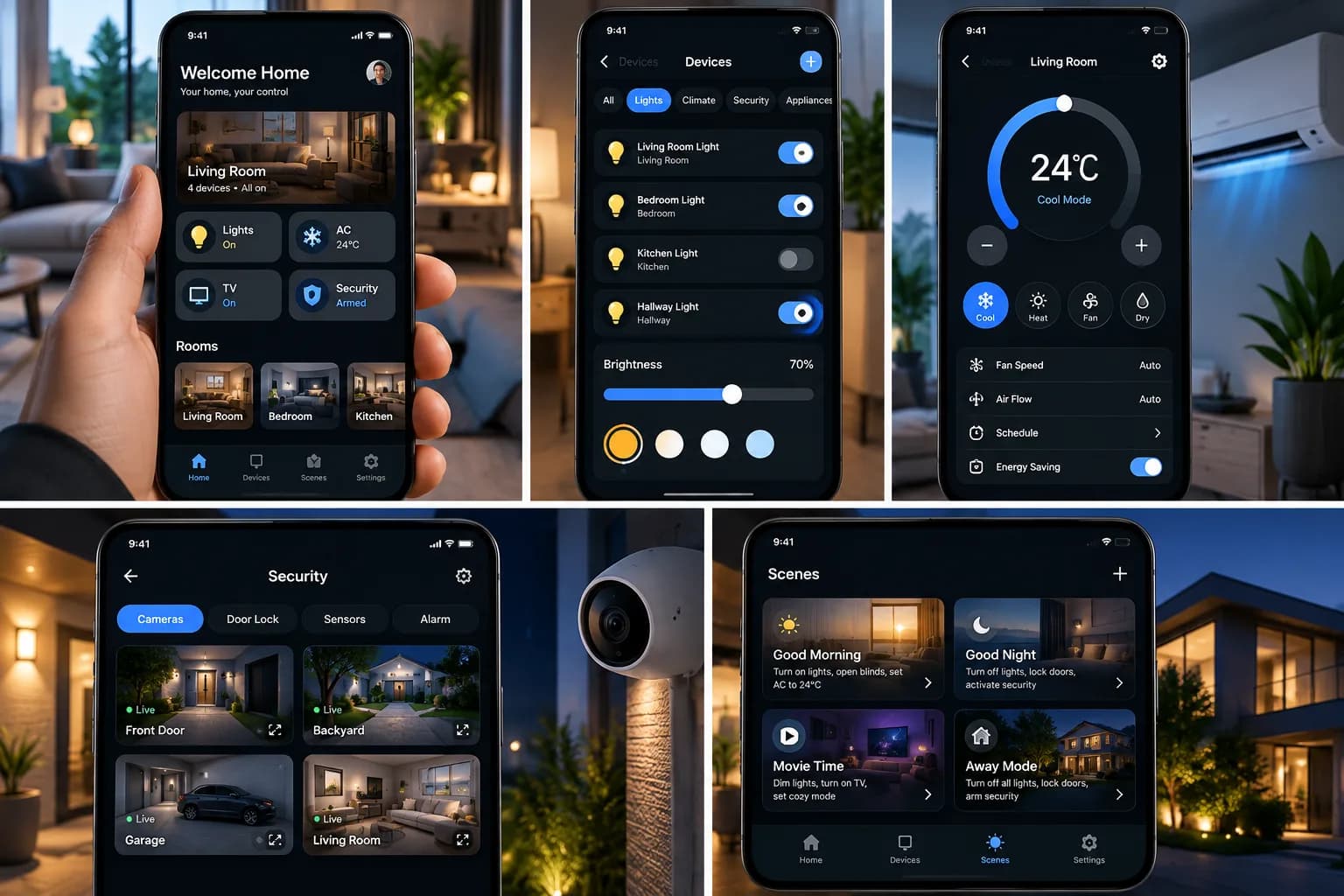
Provides access to security cameras, door locks, sensors, and alarm-related functionality.
Climate Management
Provides dedicated controls for temperature, operating modes, fan speed, airflow, scheduling, and energy-saving settings.
Automation Layer
Allows users to group multiple device actions into reusable scenes and routines.
Examples include:
- Good Morning
- Good Night
- Movie Time
- Away Mode
Settings & User Configuration
Provides a centralized area for managing application and smart-home preferences.
Intelligence layer
The application's intelligence comes primarily from automation rules, device states, schedules, and contextual workflows rather than machine learning.
Device State Management
The application needs to understand the current state of each connected device and represent that state consistently in the interface.
Scene Automation
Multiple device actions can be grouped into predefined routines.
For example:
Good Night → Turn off lights → Adjust climate → Lock doors → Activate security
Scheduling
Users can define time-based behavior for devices such as thermostats and lighting.
Contextual Modes
Modes such as Home, Away, Night, and Movie Time provide higher-level control over multiple devices.
Energy Awareness
Climate controls and device states can be combined with energy-related information to help users understand and manage consumption.
Together, these capabilities transform the application from a simple remote control into a centralized automation layer for the home.
Engineering decisions
Centralized Home Model
The application treats the home as one connected environment instead of a collection of unrelated devices.
Consistent Device Abstraction
Different hardware categories are represented through consistent UI patterns while preserving controls specific to each device type.
Dashboard-First UX
The main dashboard exposes the most important states and actions immediately, reducing unnecessary navigation.
Scene-Based Automation
Scenes provide a higher-level abstraction over individual device commands, allowing multiple actions to be triggered together.
Modular Feature Areas
Device management, security, climate, and automation are kept conceptually separate, making the application easier to extend.
Mobile-First Interaction
Controls are designed around touch interaction and limited screen space, prioritizing frequently used actions.
Extensible Integration Model
The architecture can be expanded to support additional device categories, IoT protocols, notification systems, voice assistants, and external smart-home platforms.
Challenges
1. Managing Many Device Types
Smart homes contain devices with very different behaviors, from lights and thermostats to cameras, locks, and sensors. Creating a consistent interaction model across these devices was a major design challenge.
2. Providing Information Without Overloading the User
A smart home can generate a large amount of information. The application needed to expose useful status information without turning the main dashboard into an overwhelming control panel.
3. Designing Fast Device Control
Smart-home interactions are often performed for simple tasks such as turning on a light or changing the temperature. These actions need to be immediately accessible with minimal interaction.
4. Combining Devices into Automations
Automation becomes more valuable when multiple devices can participate in the same routine. Designing scenes required thinking beyond individual device controls and considering complete household workflows.
5. Security and Monitoring
Security-related controls such as cameras, locks, alarms, and sensors require a different interaction pattern from ordinary devices. These features need clear states and immediate visibility.
6. Mobile-First Interaction
The entire experience needs to work naturally on a relatively small screen while still exposing enough information for users to manage multiple rooms and devices.
7. Maintaining a Consistent Experience
Lights, climate systems, cameras, and security devices all have different controls, but they need to feel like parts of the same application rather than separate products.
Results
The project establishes a unified SmartHome mobile experience where users can control and monitor their connected environment from a single application.
The core experience brings together:
- Smart device control
- Home monitoring
- Security
- Climate management
- Automation
- Scheduling
- Home modes
Instead of requiring users to think about individual devices, the application introduces a higher-level model where users can manage their home as a connected system.
The foundation can be extended with real IoT integrations, push notifications, geofencing, voice control, energy analytics, device discovery, multi-user access, and more advanced automation rules.
Media
Related projects
Mobile
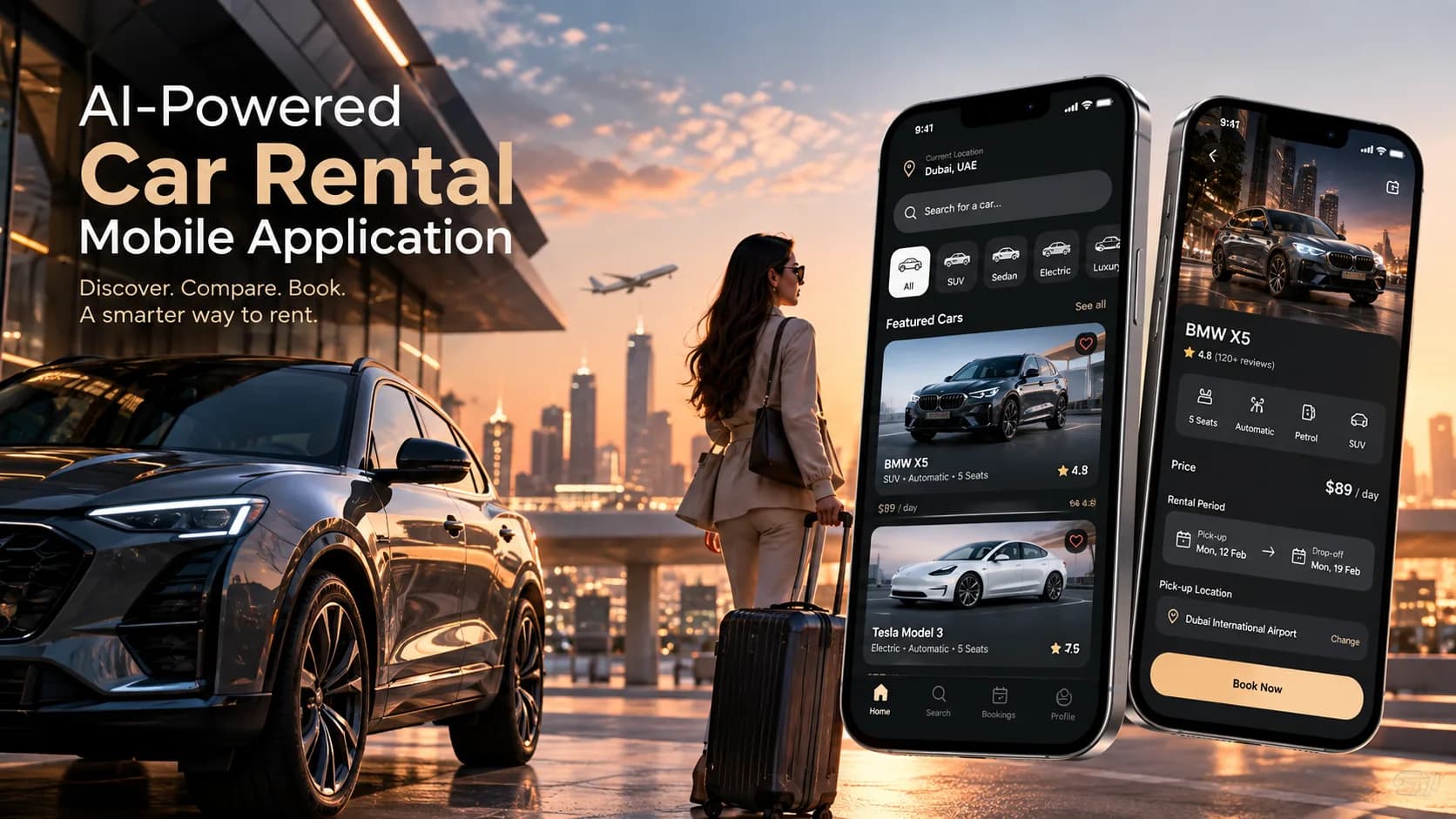
AI-Powered Car Rental Mobile Application
A modern AI-powered car rental application designed to simplify vehicle discovery, comparison, booking, and personalized recommendations through an intuitive mobile experience
Stack
Mobile
Mobile